
How Do You Match Embroidery Thread Colour to a Brand Logo?
Match brand colours to embroidery thread using a named thread code, physical colour card and sew-out on the actual Malaysian uniform.
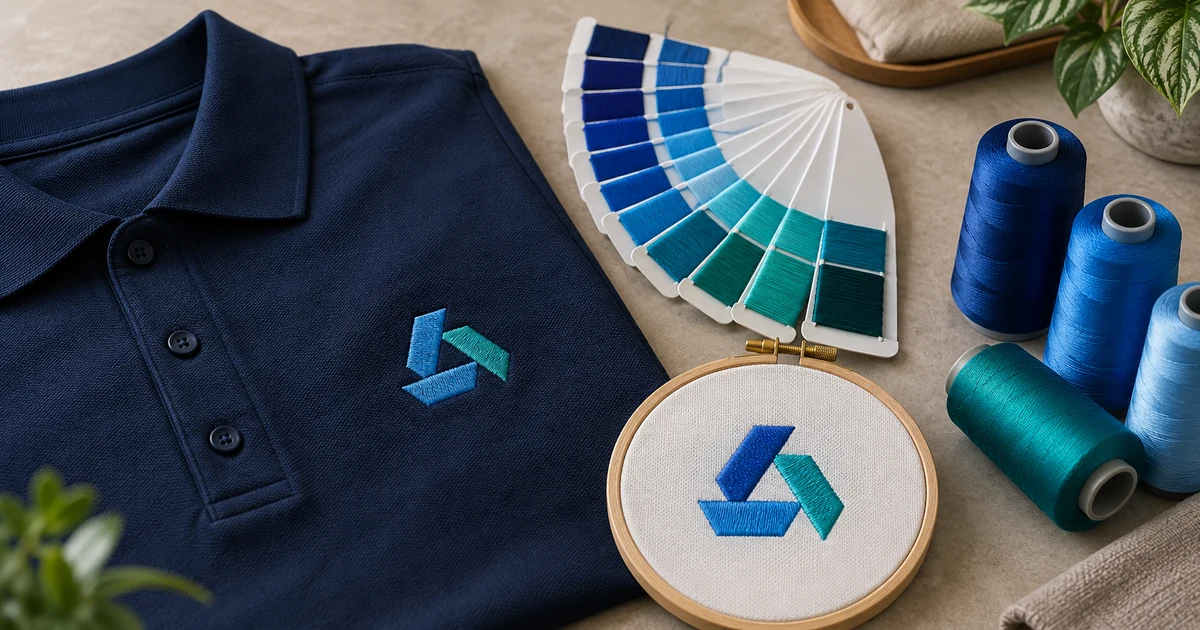
The short answer: treat the brand colour as a target, then select a specific embroidery thread by manufacturer, range and colour code. Compare actual thread strands, approve a final-size sew-out on the exact garment, and retain that approved combination for reorders. A Pantone, HEX or RGB value alone does not guarantee an exact thread match.
This process matters for Malaysian company polos, uniforms, caps and jackets because the same logo can look different when the garment colour, fabric texture, thread finish or lighting changes. The useful question is not simply “Which blue is closest?” but “Which named thread, on this garment, produces an acceptable brand result?”
Use the brand reference as a target, not a thread order code
Start with the strongest reference your organisation controls:
| Reference supplied | How to use it | Main limitation |
|---|---|---|
| Complete Pantone reference | Ask the embroiderer to cross-reference it against the selected thread range | Not every Pantone colour has an exact thread equivalent |
| Approved physical brand sample | Compare it under agreed lighting with actual thread strands and the sew-out | Age, fading, surface and material can affect the sample |
| Brand guideline with CMYK, RGB or HEX | Use it to identify intent and check that the correct brand colour is being discussed | Screen and print formulas are not direct thread recipes |
| Screenshot or phone photo | Use only to identify the logo version, not to approve colour | Display, camera and compression alter colour |
Send the complete reference, including any suffix or colour-system name. A number copied without its system can be ambiguous. If you only have digital values, say so clearly and ask for physical thread options rather than calling the screen appearance an exact standard.
The wider Pantone, CMYK and RGB guide explains how those references work for printed garments. Embroidery is a separate output process: the machine selects from manufactured thread colours instead of mixing light or printing a process formula.
Why an exact conversion may not exist
Thread palettes are discrete. Madeira’s current Pantone colour-match tool explains that Pantone has thousands of colours while its embroidery range has hundreds, so an authorised match is not always available. It also warns that computer simulations may not match the identified colour standard.
That makes a conversion chart a shortlist, not a final approval. The answer may be:
- an available thread identified as the match for that reference;
- the closest available colour in the chosen range;
- two or three candidates that need physical comparison; or
- no acceptable stock-thread option for the brand requirement.
Do not quietly substitute a thread from another range because the number looks similar. Record the manufacturer, product range and colour code together. Code 1234 from one range is not evidence that code 1234 from another manufacturer or material is equivalent.
Compare actual strands before choosing
Use a current physical colour card for the proposed thread range. Madeira lists separate colour cards for its rayon, polyester, matt and specialist ranges, while Gunold’s official thread conversion guidance recommends examining a card of actual thread strands before ordering.
Compare candidates beside the approved reference under a consistent, neutral light. Then move the samples through a few natural viewing angles. Embroidery thread can reflect light differently as its direction changes, so a colour that looks suitable from directly above may appear lighter or darker when the polo is worn.
The physical card still does not show the whole outcome. Thread packed into satin or fill stitches has a different visual area and direction from a loose strand. The garment underneath also changes contrast. Use the card to select candidates and the sew-out to make the decision.
Keep thread type and finish in the decision
Colour is not the only variable. A lustrous thread, matt thread and metallic effect can give different impressions even when their base colours appear close. The selected range must also suit the garment, intended care and production method.
Ask the supplier to state:
- thread manufacturer and range;
- material or finish category;
- exact colour code for every logo colour;
- whether the proposed code is a published cross-reference or a closest available choice; and
- any reason a different range is recommended for the job.
This does not require a buyer to prescribe machine settings. It creates an auditable colour specification while leaving technical production choices to the embroiderer.
Approve the colour on the actual garment
A navy polo, royal-blue jacket and white cap give the same thread different surrounding contrast. Pique texture can break the visual edge of small stitches, while a smooth woven panel reflects and frames the embroidery differently.
Approve a sew-out that uses:
- the production garment code and colour;
- the final logo dimensions;
- the approved digitised-file version;
- the proposed thread range and codes; and
- the intended stitch sequence and construction.
Check the sample both flat and worn, from normal conversation distance and close up. View it under the normal workplace light as well as the agreed approval light when colour is important. A phone photograph can document the result, but it should not replace the physical sample for a colour-critical order.
Use the pre-production sample checklist to record garment, placement and workmanship. If small lettering or narrow lines changed during digitising, review the minimum embroidery detail guide before approving colour alone.
Map every logo colour separately
For a multicolour logo, create a simple mapping table instead of asking for “blue, teal and grey”.
| Logo element | Brand target | Approved thread specification | Status |
|---|---|---|---|
| Main symbol | Complete brand reference | Manufacturer + range + code | Approved / revise |
| Secondary shape | Complete brand reference | Manufacturer + range + code | Approved / revise |
| Wordmark | Complete brand reference | Manufacturer + range + code | Approved / revise |
This prevents two intentional blues from being collapsed into one and makes accidental colour-order changes easier to spot. Label the production proof in the same order used by the digitised file.
If the supplier proposes reducing the number of colours, approve that as a logo simplification rather than treating it as an invisible production change. The embroidery digitising guide explains why the machine file, stitch sequence and artwork are related but not interchangeable.
Define what happens when the preferred thread is unavailable
Stock can change between quotation and production. State the substitution rule before bulk work begins:
- no substitution without written approval;
- supplier sends the proposed manufacturer, range and code;
- compare the new thread against the retained control sample;
- make a new sew-out when the colour or thread range changes; and
- update the specification only after approval.
For a small visual difference that the brand owner accepts, record it as an approved closest match. Avoid describing it as “exact” after the fact. If no stock thread is acceptable, discuss whether the brand can approve a controlled variation or whether another decoration method is more suitable.
Keep a reorder record that another person can use
Store the following with the purchase order or uniform specification:
- logo master and approved digitised-file version;
- garment supplier, code and colour;
- logo size and measured position;
- thread manufacturer, range and every colour code;
- dated sew-out or retained control garment;
- approver and acceptance notes; and
- any authorised alternative thread.
This record is more reliable than searching an old chat for “same blue as last time”. The uniform reorder guide explains the other garment, sizing and production controls needed when a team grows.
For a comparable quotation, send BajuPrintz the editable logo, full brand colour reference, garment code and colour, quantity by size, embroidery dimensions, and whether a physical sew-out is required. Request a BajuPrintz quotation only after those approval requirements are clear.
Frequently asked questions
Can embroidery thread match a Pantone colour exactly?
Not always. A thread range contains a limited set of colours, so a manufacturer may offer an authorised match for some Pantone references and only a closest available option for others. Approve the actual thread and a sew-out on the production garment.
Is a HEX or RGB value enough to choose embroidery thread?
No. HEX and RGB values describe screen colour and can appear different across devices. Send the complete brand colour reference and, where possible, an approved physical sample, then record the selected thread manufacturer, range and code.
Should I approve a digital thread chart or a physical colour card?
Use a digital chart only to narrow the options. A physical card made with actual thread strands gives a more useful comparison, but the final approval should still be a sew-out on the exact garment colour and fabric.
Why does the same embroidery thread look different on a polo shirt?
Thread sheen, stitch direction, viewing angle and lighting change the perceived colour. The polo colour and texture also affect contrast, which is why the production garment must be part of the approval.
What colour information should be kept for uniform reorders?
Keep the thread manufacturer, product range and colour code, the approved digitised file, garment code and colour, finished logo size, dated sew-out or control sample, and any approved substitution.
Ready to compare suitable printers?
Get 5 Free Quotes