
Why DTF Prints Peel: Pressing, Fabric and Wash-Care Causes
Find why DTF print edges peel, separate pressing and fabric causes from aftercare, and prevent repeat failures with a tested production process.
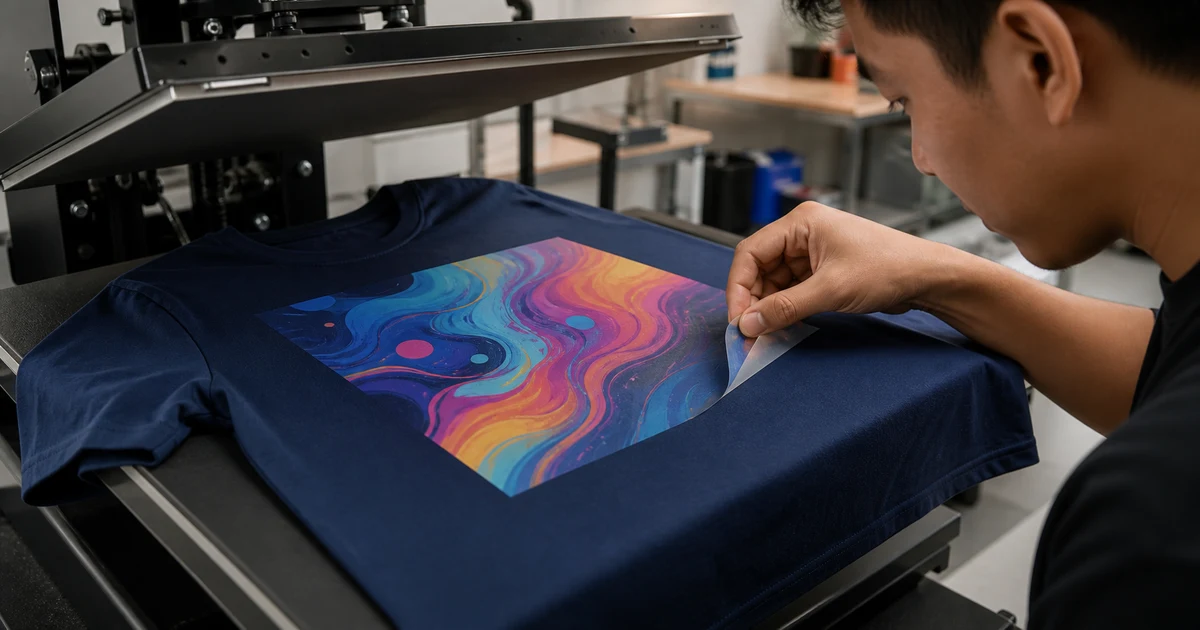
The short answer: a DTF print peels when its adhesive layer does not remain bonded to the garment. The cause may be insufficient or uneven heat, time or pressure; incomplete powder coverage or cure; an unsuitable fabric finish; a seam interrupting pressure; the wrong peel or final-press step; or washing and drying outside the approved care conditions. There is no universal rescue temperature for every DTF system.
Where and when the lift appears matters. One corner rising before the first wash points to a different investigation from a well-worn print damaged by direct ironing. Preserve the shirt and let the original printer inspect it before applying glue or more heat.
What does the peeling pattern suggest?
| What you observe | More likely area to investigate | Immediate action |
|---|---|---|
| Edge lifts before first wear or wash | Transfer, powder, cure, press or garment compatibility | Photograph it and quarantine matching units |
| Many shirts peel after the same first wash | Batch process, adhesion or supplied care instruction | Record the exact wash and contact the supplier |
| One side or corner lifts repeatedly | Uneven platen pressure, seam, collar or placement obstruction | Compare the print position and press contact area |
| Failure mainly on coated, water-resistant or performance garments | Surface finish, stretch or heat compatibility | Test the exact garment, not a substitute blank |
| Peeling starts after tumble heat or direct ironing | Aftercare heat or mechanical damage | Stop applying heat and retain the care label |
This is a triage guide, not proof of one cause. The printer should compare an affected shirt with an unworn production piece and the approved sample.
1. Heat, time and pressure may be incomplete or uneven
DTF transfer needs a product-specific combination of heat, dwell time and pressure. A press set to a number is not enough if the platen is cooler at one edge, pressure is uneven, or a seam prevents contact.
STAHLS’ official heat-seal machine test guidance explains that uneven temperature and pressure can leave sections or edges unbonded. Its heat-press operator manual directs users to follow the transfer and garment manufacturer’s specified time, temperature and pressure.
For bulk work, the printer should:
- verify platen temperature across the usable area;
- keep seams, collars, zips and buttons away from the contact plane or use the correct platen/pad;
- apply the exact transfer system’s pressure and timing; and
- check edge adhesion on the first pieces and after production interruptions.
Do not copy a temperature from social media. Film, powder, ink, garment and press instructions differ.
2. Powder coverage and curing may be incomplete
DTF is a system, not just a printed film. The printed ink receives adhesive powder, the powder is heated or cured, the transfer is pressed to the garment, the carrier is peeled as instructed, and many systems specify a finishing press.
Epson’s official DTF film printing guide warns that incomplete powder coverage can produce poor transfer and says operating conditions vary by film, powder, device and ink amount. Roland DG’s DTF workflow guide likewise includes powder, curing, transfer, carrier removal and a final press intended to improve durability.
Uneven powder, contamination, insufficient cure or a process outside the matched system can leave weak areas. Buyers do not need to prescribe factory settings, but they should ask whether the supplier controls film, powder, ink, curing and press settings as one tested recipe.
For a broader defect overview, see common DTF printing problems.
3. The shirt surface may not suit the approved recipe
DTF is versatile, but “works on many fabrics” does not mean “works identically on every garment.” Water-repellent coatings, silicone finishes, heavy textures, high stretch, moisture, dye behaviour and low heat tolerance can change adhesion or safe pressing conditions.
Roland’s current BY2-20 workflow describes even powder application, controlled curing and recommended pre-press, transfer and final-press steps. Those steps still have to be validated on the actual garment.
Before production, give the printer the exact shirt brand, model, colour and composition. A sample on plain cotton does not approve a coated team jacket or stretch jersey. If the garment is heat-sensitive, require a documented sample before the full run.
Compare DTF and heat-transfer vinyl if the artwork or garment may suit a different film system.
4. Peeling and finishing steps must match the film
Carrier films differ. A transfer may require hot, warm or cold peeling, followed by a specified finishing press. Removing the carrier at the wrong stage can pull at the bond; omitting a required finish can leave the result below the system’s intended durability.
The printer should use the film supplier’s current instructions rather than habit. Buyer approval should cover:
- the exact production garment;
- edge adhesion after the full finishing sequence;
- normal stretch for the use case;
- appearance and hand feel after an agreed wash test; and
- written care instructions for recipients.
Use the production sample checklist to record these points before mass production.
5. Wash care can damage an otherwise sound transfer
A decorated shirt must be treated within its care limits. Direct ironing over the transfer, excessive tumble heat, aggressive abrasion or stretching while hot can damage the bond and film.
Follow both the sewn-in label and the printer’s decoration guidance. GINETEX explains that care symbols define the maximum permitted treatment for the finished textile article. Epson’s maker guidance also advises washing printed shirts inside out in cold water and following manufacturer instructions.
For a complete handover checklist, use the printed T-shirt wash-care guide. If a whole batch fails after a compliant first wash, care alone should not be assumed to be the cause.
What should you do when a DTF print starts peeling?
- Stop washing, drying and stretching the area. Do not remove more film.
- Take clear photos. Capture the whole placement, the lifted edge and the care label.
- Record timing and treatment. State whether it happened before wear, after washing or after heat.
- Inspect the batch without destructive testing. Count affected sizes, positions and shirt models.
- Contact the original printer. Send the order details and keep one affected and one unaffected piece available.
Do not use household glue or guess a re-press setting. A printer who knows the transfer system may perform a controlled test, but a contaminated adhesive, stretched film or incompatible garment may need replacement. Protecting the evidence gives you a better route to a fair remedy.
How to prevent DTF peeling on the next order
- Approve the exact garment model and colour used in production.
- Ask whether the film, powder, ink and cure form one tested system.
- Require a maintained press with verified temperature and even pressure.
- Keep seams and raised features out of the print contact area where possible.
- Follow the specified carrier-peel and final-press sequence.
- Approve edge adhesion, normal stretch and an agreed wash test.
- Give recipients simple written wash and ironing instructions.
- Retain an approved sample and an unworn production piece.
The goal is not a magic temperature. It is a repeatable recipe for one transfer system on one named garment, verified before the full Malaysian order.
Send a DTF troubleshooting brief
Provide the garment brand and model, fibre composition, colour, print size and position, order quantity, use conditions and required delivery date. For an existing failure, add photos, affected counts, wash method, dryer treatment and when the lift first appeared.
You can request comparable DTF quotations or browse Malaysian T-shirt printers. Ask suppliers how they control the complete transfer system and test your exact garment—not for one universal press setting.
Frequently asked questions
Why is my DTF print peeling at the edges?
Edge lifting can result from insufficient or uneven heat, time or pressure; a seam or collar blocking the platen; incomplete powder coverage or cure; an incompatible garment finish; the wrong peel or finishing step; or harsh aftercare. The location and timing help the printer narrow it down.
Can I glue a peeling DTF print back down?
Do not use household or fabric glue. It can stain the shirt, harden the print and prevent a proper diagnosis. Stop washing it, photograph the defect and let the original printer decide whether a controlled re-press test or replacement is appropriate.
Can a peeling DTF transfer be heat-pressed again?
Sometimes a printer may test a controlled re-press using the exact transfer system's instructions, but it is not a guaranteed repair. Dirt, stretching, damaged adhesive or an incompatible garment may make replacement safer. Do not guess the temperature at home.
Does DTF work on every T-shirt fabric?
DTF can suit many garments, but not every finish, coating, stretch level or heat-sensitive fabric behaves the same. Test the exact shirt model and colour; do not approve production from a different blank.
How do I stop DTF prints peeling in the wash?
Start with a calibrated, product-specific production process and a wash-tested sample. After delivery, follow the garment label and printer's care instructions, avoid direct ironing over the print and do not exceed the permitted drying treatment.
Ready to compare suitable printers?
Get 5 Free Quotes