Can You Print Over Pockets, Seams and Zips?
Plan T-shirt, polo and hoodie printing around pockets, seams and zips. Learn what to measure, what needs a sample and which promises to question.
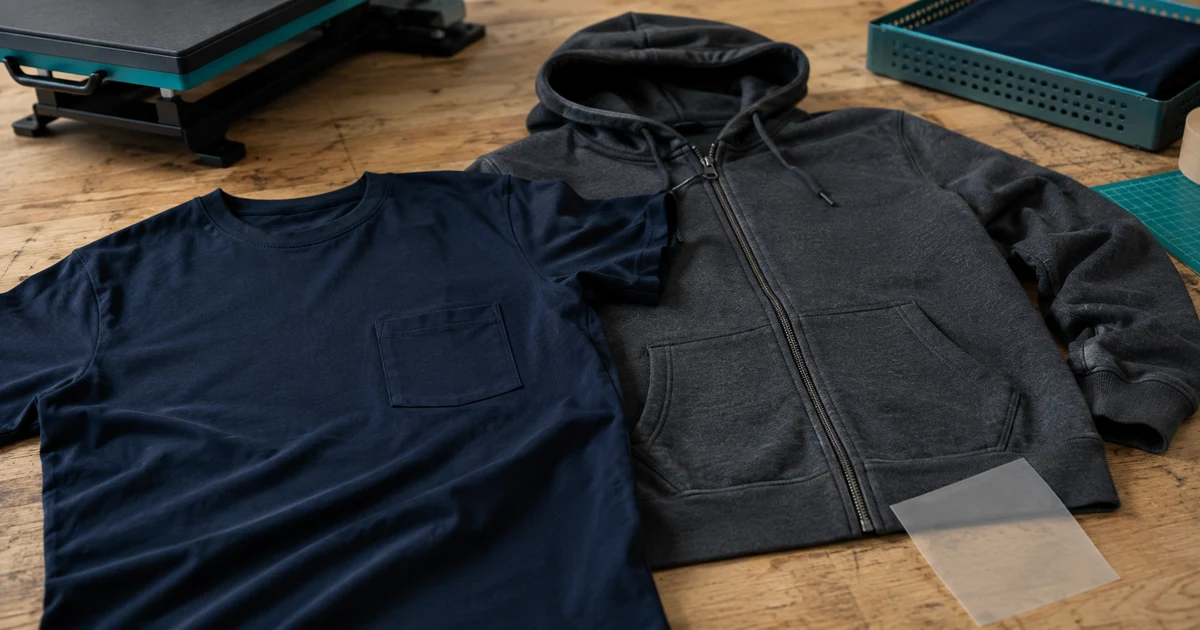
The short answer: printing on a flat pocket face or beside a seam can be possible, but printing directly across raised stitching, a pocket opening or a zip is a different job. For company shirts and event apparel, the simplest starting point is to keep essential artwork within a flat, uninterrupted area and have the printer approve the exact garment.
A digital mockup can place a logo anywhere. It cannot show whether the production setup can reach that area evenly or whether the garment will still open and sit correctly.
Separate three different requests
Be precise when asking for a quotation:
| Request | What the printer needs to assess |
|---|---|
| Print beside a pocket, seam or zip | Available flat area and clearance from the obstruction |
| Print on the pocket face | Pocket dimensions, access and support beneath the print area |
| Print across stitching or an opening | Whether the design and chosen process can tolerate the interruption |
For example, a logo above a polo pocket is not the same specification as a logo on that pocket. A wide hoodie graphic that stops on each side of the zip is not one continuous print over the zip teeth.
Send a photograph with the intended location marked. Use the company logo placement guide for the visual position, then check physical feasibility separately.
Why do raised areas affect heat transfers?
Transfer application depends on the correct contact and pressure. Transfer Express’s troubleshooting guidance identifies pockets, seams and other obstructions as causes of uneven pressure and stresses a firm, flat application surface.
This is why a printer may suggest moving the logo, using a different lower platen or supporting the printable area. It is not enough to say “DTF works on this fabric” if the chosen position cannot be pressed properly.
Ask which part of the actual shirt the printer has evaluated. If you are supplying your own garments, use the print-only garment checklist before sending a whole batch.
Can the pocket itself be printed?
The flat pocket face may offer a usable area, but it must be accessible to the chosen process. Siser’s hoodie tutorial demonstrates supporting the pocket from inside for its specified HTV application, lifting the print surface above surrounding seams. This illustrates a method-specific solution, not a guarantee for every pocket or transfer.
For your sample, check that:
- the artwork fits inside the approved area;
- the pocket opening remains usable;
- small text does not disappear into the stitch line;
- the decoration looks straight when the garment is worn; and
- the finish is acceptable around all artwork edges.
If the pocket is too small, propose a logo above it or on the opposite chest. Get approval for the new position instead of silently shrinking a detailed logo until it becomes unreadable.
What about a zip-front hoodie or polo placket?
Treat the opening as part of the design. For a zip-front hoodie, ask for a deliberate gap between the left and right artwork sections. Keep a company name, small lettering or other essential detail off that break.
STAHLS’ guide to heat printing around zips covers ways to manage the raised zip area during heat application. The relevant buyer question is whether the printer can demonstrate the proposed position on your hoodie, not whether a generic hoodie was printed successfully before.
Approve the garment zipped, unzipped and worn. For a polo, check the button placket open and closed. If a front graphic only works while the garment is stretched perfectly flat on a table, reconsider the layout before ordering.
Do not prescribe one accessory for every method
A heat-printing pillow is not a universal cure. The Transfer Express application-kit guide explains that soft pillows can reduce pressure too much for transfers needing medium-to-firm pressure, and discusses firmer support options. Other systems, including the Siser HTV example above, have their own instructions.
Let the printer choose a setup that follows the exact consumable manufacturer’s requirements. Do not ask it to copy a temperature, pressure or accessory from an unrelated tutorial.
Likewise, an approved heat-transfer sample does not prove a silk-screen, DTG or embroidered version will have the same result. If the method changes, ask for the position and finish to be assessed again. The printing-method comparison explains the broader choices.
Measure the smallest usable area in the order
For Malaysian teams ordering a mix of unisex polos, ladies’ cuts, Muslimah tops or children’s event shirts, check each product rather than copying one placement across all of them. Record the pocket or placket position and available decoration area for each relevant group.
As a planning example, if a pocket face measures 10 cm wide, a 10 cm-wide logo leaves no side allowance. That does not establish a universal smaller size: the printer still needs to mark usable clearance for that garment and process.
Record artwork width, height and distance from the chosen reference points in centimetres. The print-size guide helps turn “small chest logo” into a reproducible instruction.
Approve the difficult position before the bulk run
Request a decorated sample of the highest-risk garment and position, not just a flat fabric swatch. Look at alignment while worn, edge adhesion for transfers, unwanted marks, pocket access and zip or button operation. Agree any wash check and the care method before testing.
Ask the supplier to record any unavoidable break, texture or alignment variation and decide whether it is acceptable. Do not approve a seamless-looking mockup if the physical sample tells a different story. Use the sample approval checklist to keep that decision with the order.
When you request Baju Printz quotations, attach garment photos, artwork dimensions and the marked position. Ask each printer to quote the same approved layout and state whether a placement change or physical sample is needed.
Frequently asked questions
Can a printer put a logo on a T-shirt pocket?
A logo may be possible on the flat pocket face if the garment, artwork size and equipment are suitable. Printing on the pocket face is different from crossing its opening or raised stitching. Ask for a sample on the exact garment.
Can DTF print directly across a seam?
Do not assume it can. A raised seam can disrupt the pressure needed for transfer application. Ask the printer to assess the exact seam and transfer system, and approve a physical trial if the artwork must cross it.
How far should a print sit from a pocket or zip?
There is no single clearance for every garment and printing setup. Ask the printer to mark the usable area and minimum clearance on the actual product, then record the artwork dimensions and distances in centimetres.
Will a heat-printing pillow solve every seam problem?
No. The support must suit the transfer's pressure requirements and application instructions. Some HTV workflows use pillows, while other transfer systems require a firmer support. Equipment alone does not guarantee an acceptable print across a seam.
Can a design run across the front of a zip hoodie?
Plan it as artwork on two garment panels with an intentional break at the zip unless the printer has demonstrated another suitable process. Keep essential text away from the break and approve alignment with the hoodie zipped and worn.
Ready to compare suitable printers?
Get 5 Free Quotes