
Printing on Black T-Shirts: Methods, Colour and Cost
Compare silk screen, DTF and DTG printing on black T-shirts, including white underbases, colour checks, cost drivers and proof approval.
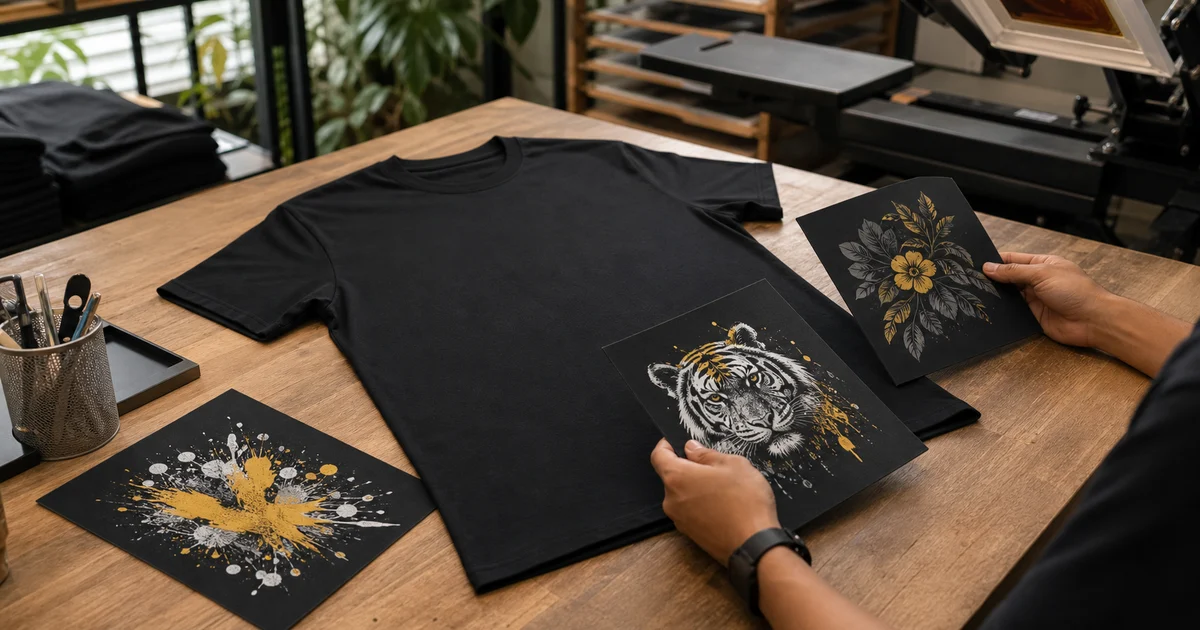
The short answer: black T-shirts can be printed well with silk screen, DTF or DTG, but the printer must stop the dark fabric from dulling the artwork. That usually means an opaque ink or transfer layer, or a white underbase beneath the colours. The best method depends on your quantity, artwork, fabric and preferred print feel—not the shirt colour alone.
Do not approve a black-shirt job from a phone mockup only. Ask how white ink is handled, confirm whether black areas are printed or knocked out to show the garment, and approve a production-representative proof when colour is important.
Which method works on black T-shirts?
| Method | Usually suits | Dark-shirt treatment | Main buyer check |
|---|---|---|---|
| Silk screen | Repeated artwork and larger quantities | Opaque inks and often a white underbase, each using planned screens and passes | Screen count, underbase, ink feel and colour separation |
| DTF transfer | Detailed, full-colour artwork and flexible quantities | Colour is printed with a white backing on transfer film, then heat-applied | Transfer size, edge detail, feel and press quality |
| DTG | Detailed artwork, gradients and shorter runs | Dark garments normally need pretreatment and white ink below CMYK colour | Fabric suitability, pretreatment consistency and sample appearance |
| Embroidery | Small logos and durable textured branding | Thread covers the fabric rather than relying on transparent print colour | Stitch detail, logo size, backing and garment weight |
Use this table as a briefing guide, not a universal method ranking. Compare the complete trade-offs in our silk screen, DTF and DTG guide.
Why does black fabric change the print?
Many colour inks are not fully opaque. On a white shirt, the light garment helps reflect colour; on black fabric, the same ink can look muted or disappear. A printer therefore builds opacity before or within the colour layer.
In textile screen printing, Avient explains that a dark substrate requires a base plate and that the interaction between a white underbase and the shirt affects the colour printed above it. Read Avient’s technical discussion of colour on dark garments.
The underbase is not simply “more white”. Its coverage, mesh, flash curing and alignment affect vibrancy, edge registration and hand feel. A heavy base can feel thicker; a weak or poorly controlled base can make colours uneven.
How do the methods handle a black shirt?
Silk screen: control each colour and the underbase
Silk screen is often efficient when the same artwork is repeated across a larger batch. Each spot colour normally needs its own separation and screen. A white underbase may add another screen and print step, while flash curing between layers can add press time.
Ask the printer to confirm:
- how many print colours and screens are quoted;
- whether the white underbase counts as a separate colour;
- whether black details will be printed or use the shirt itself;
- how fine text and gaps will be trapped or choked for registration; and
- whether the approved sample represents the production ink stack.
Printing the garment black through selected artwork gaps can create a softer result and reduce ink coverage, but it changes the artwork. Approve those knockouts at actual print size.
DTF: useful for detailed artwork, but check the transfer area
DTF can carry detailed, multi-colour artwork with a white backing layer and is useful when the quantity or artwork does not suit multiple silk screens. Epson describes the process as printing to transfer film, applying hot-melt adhesive powder and heat-pressing the image onto a garment in its official garment-printing support.
The important buyer decision is not just “DTF or not”. A large solid transfer can feel different from a small logo or artwork with open spaces. Ask to see a sample on the selected fabric, especially for a large front or back print.
DTG: pretreatment and white ink are part of the dark-garment process
DTG prints directly onto the garment. For black and dark shirts, white ink creates the base for the colour image, and pretreatment helps that white ink sit and bond correctly.
Brother’s official DTG guidance says garments printed with white ink require pretreatment, which creates a barrier and underbase for CMYK inks. Epson likewise states that pretreatment is required when its system uses white ink on a black or dark garment. See the current Brother pretreatment explanation and Epson dark-garment guidance.
This does not make every black cotton, blend or polyester shirt interchangeable. Give the printer the exact garment code and fabric so the correct workflow can be tested.
How should you prepare colour for a black shirt?
Start with the source artwork, not a screenshot. Then provide:
- the editable vector file or highest-resolution original;
- a transparent-background export where appropriate;
- the final print width and position;
- exact spot-colour or other agreed references for critical colours;
- a visual showing the intended result on black; and
- notes showing which black areas are ink and which are garment knockouts.
A screen preview cannot reproduce fabric texture, ink opacity or reflected light. The next guide explains when to send Pantone, CMYK or RGB colour information, while our artwork preparation checklist covers file formats and print size.
What changes the cost?
Printing on black does not have one universal surcharge. Ask for an itemised quotation because different production routes add work in different places.
Cost commonly changes with:
- garment type, fabric, colour and size range;
- quantity per identical artwork and shirt colour;
- printing method;
- silk-screen colour and screen count, including any underbase;
- white-ink coverage, pretreatment or transfer area;
- number and size of front, back or sleeve positions;
- artwork cleanup and colour separation;
- physical sample or colour-matching requirement; and
- delivery deadline and postcode.
Send the same specification to every supplier. A lower price may describe fewer screens, a smaller print, a different garment or no physical sample.
What should you approve before production?
Check the design on the actual black garment, at the intended dimensions. Confirm:
- colour appearance under normal room and daylight conditions;
- opacity in light colours and fine details;
- clean edges around the white base;
- print feel across large solid areas;
- shirt stretch and fabric show-through where relevant;
- exact position from the collar, seam or centre line; and
- whether the sample and bulk run use the same method and garment.
For a practical comparison, include the black shirt code, quantity, artwork, print size, delivery postcode and required date when you request quotations from BajuPrintz printers.
Frequently asked questions
Can you print full colour artwork on a black T-shirt?
Yes. DTF and DTG can reproduce detailed full-colour artwork on black garments, while silk screen can also print multiple colours using separate colour separations. The printer must plan sufficient opacity, usually with a white base or opaque ink system.
Why is a white underbase used on black shirts?
A white underbase separates lighter or semi-transparent colours from the dark fabric so they remain visible and closer to the intended appearance. Its thickness and registration must be controlled because it can also change colour and print feel.
Does printing on a black T-shirt always cost more?
Not always. Cost depends on the printing method, quantity, artwork, number of positions, garment and production setup; however, white ink, pretreatment, extra screens or additional passes can add work compared with a simple print on a light garment.
Which file should be sent for printing on a black shirt?
Send the editable vector or highest-resolution original, plus a transparent-background export and an image showing the intended result on black. Identify any areas that should use the shirt colour instead of printed black and provide agreed colour references.
Ready to compare suitable printers?
Get 5 Free Quotes