
Matte or Gloss Business Cards for a Malaysian Event?
Choose matte or gloss business-card lamination for a Malaysian event by checking legibility, handling, writing needs and the finished quotation.
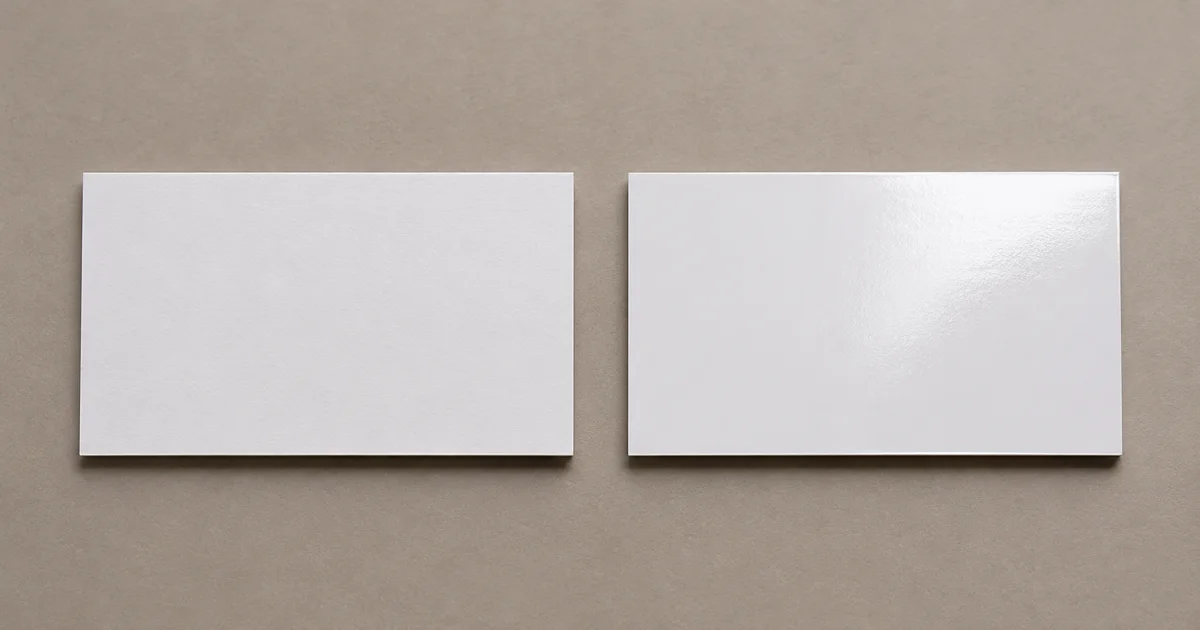
The short answer: choose matte lamination if you want a restrained surface with less obvious reflection under event lighting; choose gloss if you want a visibly shiny finish. Neither is automatically easier to read or write on. Approve a physical card under lighting similar to the venue, especially when the artwork has small contact details or dark backgrounds.
This guide is about the finish of a hand-to-hand networking card, not the size of a flat event flyer or the pocket in an A4 presentation folder. Malaysian printer Printlab lists 260 gsm and 310 gsm art card with matte, gloss or no lamination for one express business-card product. Gogoprint also lists card-stock and lamination choices. These are examples of supplier menus, not a universal specification or a promise about BajuPrintz printers.
Compare the finish in the setting where cards change hands
| Buyer check | Matte laminate | Gloss laminate |
|---|---|---|
| Under bright or directional lights | Check whether fine details remain legible without shifting the card | Look for reflections across names, contact lines and QR codes |
| Photos and strong colour | View a finished proof for the intended appearance | View a finished proof for shine and possible glare |
| Fingerprints and handling | Test several passes between people | Test several passes between people |
| Handwritten notes | Test the intended pen; do not assume the laminate accepts it | Test the intended pen; do not assume the laminate accepts it |
Ask for samples on the same proposed stock and artwork, not two unrelated sample cards. A finish can look different beside a dark design than beside a mostly white card. If someone needs to write an appointment time or personal note on the reverse, ask the printer whether a suitable unlaminated area or different stock is available and test it. “No lamination” and “uncoated paper” are not necessarily the same product: confirm both the stock surface and any film in the quote.
Keep each person’s details and artwork version controlled
Build one approved master layout, then a separate final file or clearly labelled data record for every staff member. Check spelling, role, mobile number, email and website against the current staff list. If a QR code opens a contact page, scan the final-size printed proof and verify its destination. Leave comfortable space around small text and trim edges using the selected printer’s template; do not guess from a screen mockup. Printlab’s express card specification gives a 90 × 54 mm size and a PDF artwork requirement with bleed for that product, but your printer’s current template controls the final file.
For a team sharing event folders, check whether the card fits the actual slot and whether a glossy surface rubs against the folder during packing. The artwork-file guide helps with PDF handoff, but it cannot replace a person-by-person detail check.
Quote the complete event-card job
Give each printer the same brief: finished size, quantity per person’s design, stock and weight, matte or gloss lamination and which sides receive it, single- or double-sided print, corner shape, proof type, packing by staff member, delivery postcode and in-hand date. Ask whether design setup, variable names, revisions and delivery are included. For a trade show, add the date the team must receive cards—not just the event opening date.
You can request a BajuPrintz quote with that specification and confirm which stock-and-finish combinations the responding printers actually offer.
Frequently asked questions
Is matte or gloss better for business cards at an event?
Choose after viewing physical samples under the venue's likely light. Matte usually gives a quieter reflection; gloss emphasises shine, but either must keep small contact details readable.
Can I write notes on a laminated business card?
Do not assume ordinary pens will work on either laminate. If recipients must write on the card, test the intended pen on a physical sample or ask about a suitable unlaminated writing area.
Does a business-card quote include lamination on both sides?
Not necessarily. Specify matte or gloss, which face receives it, the card stock, print sides, quantity per person's artwork and delivery in the quote.
What should I check in a business-card proof?
Check names, job titles, phone numbers, email addresses and QR destinations for every person, then inspect a finished-size sample for text readability and trim.
Ready to compare suitable printers?
Get 5 Free Quotes